



Download Xlight FTP Server – high‑performance FTP solution for Windows
Xlight FTP Server is a lightweight yet powerful FTP service built specifically for Windows environments. Designed to support thousands of simultaneous connections while consuming minimal CPU and memory, Xlight offers three distinct editions—Personal (free for home users), Standard, and Professional—so you can scale the solution as your needs grow. Its native user‑isolation, LDAP filtering, and robust logging make it a solid choice for both casual file sharing and enterprise‑grade deployments. Whether you need a simple way to transfer files between PCs or a secure, high‑throughput server for a busy office, Xlight FTP Server delivers a fast, reliable, and easy‑to‑manage experience.
Overview & Core Features
At the heart of Xlight FTP Server lies a streamlined architecture that balances speed with resource efficiency. The software runs as a Windows service, allowing it to start automatically with the operating system and stay hidden from casual users, which adds a layer of security. Its intuitive graphical interface makes configuration a breeze—even for users with limited networking knowledge—while advanced administrators can dive into granular settings through the built‑in command‑line tools.
- Native user isolation that prevents one user’s activity from affecting another’s files.
- Support for thousands of concurrent FTP clients without significant CPU or RAM usage.
- LDAP integration with customizable filter to limit user search scope.
- Automatic routing of deleted files or folders to the Windows Recycle Bin.
- Enhanced email notifications that can include the last 100 uploaded or downloaded files.
- Remote administration client with “‑autoconnect” option for instant server access.
- Robust database logging that gracefully handles temporary SQL server outages.
- Extensive command set, including secure SITE commands and custom scripts.
- Three licensing tiers—Personal (free), Standard, Professional—each adding layers of functionality such as bandwidth throttling, IP filtering, and detailed audit trails.
Beyond these headline features, Xlight continuously receives updates that refine performance and patch security holes. The development team emphasizes backward compatibility, ensuring that existing configurations remain functional after upgrades. This focus on stability makes Xlight a trustworthy choice for businesses that cannot afford unexpected downtime.
Installation, Compatibility & Daily Usage
Getting Xlight FTP Server up and running is straightforward. After downloading the installer from the official website, run the setup.exe file and follow the wizard prompts. The installer automatically detects the Windows version and selects the appropriate binaries, whether you are on Windows 10, Windows 11, or a Windows Server edition. For users who prefer a silent install—useful for mass deployments across a network—the command setup.exe /S /D=C:\XlightFTP installs the application without GUI interaction.
Once installed, launch the Xlight Management Console from the Start menu. The first-time setup wizard guides you through creating the initial FTP site, setting the listening port (default 21), and defining the root directory. You can enable SSL/TLS encryption with a few clicks, and the console will generate a self‑signed certificate if you don’t already have one. For organizations that enforce strict security policies, Xlight supports external certificates via the Windows Certificate Store.
Compatibility extends to all modern Windows platforms (64‑bit). While there is no native macOS or Linux version, Xlight’s FTP service can be accessed from any client that supports the FTP or FTPS protocol, including FileZilla, WinSCP, and even web browsers. Mobile users on Android or iOS can connect using popular FTP apps, making file transfers possible from virtually any device.
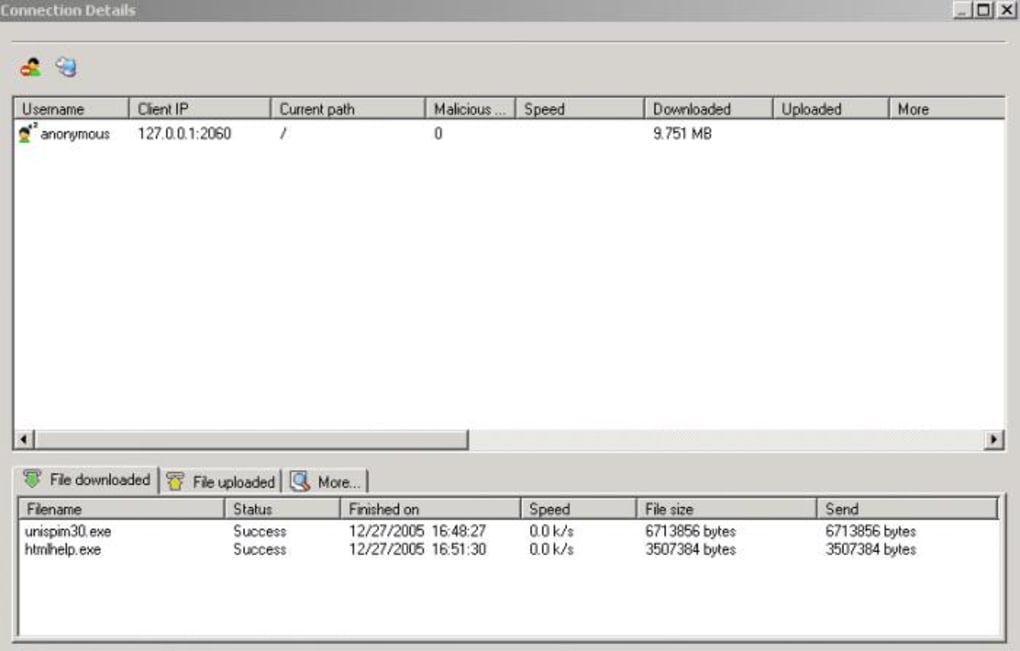
Daily operation revolves around the Management Console, which offers real‑time monitoring of active sessions, transfer speeds, and error logs. Administrators can add or remove users, assign folder permissions, and set bandwidth quotas on the fly. For remote teams, the optional Remote Administration Client allows you to manage the server from another computer without VPN, provided you enable the secure remote access feature and configure firewall rules accordingly.
Pros, Cons & Frequently Asked Questions
Pros
- Exceptional performance with low CPU and memory footprint.
- Free Personal edition suitable for home users.
- Native user isolation enhances security.
- Comprehensive LDAP support for enterprise directories.
- Robust logging to both files and databases.
- Simple GUI combined with powerful command‑line options.
- Regular updates and responsive support team.
Cons
- No native macOS or Linux server version.
- Advanced features (e.g., bandwidth throttling) locked behind paid editions.
- Initial learning curve for users unfamiliar with FTP concepts.
- Remote administration requires additional network configuration.
Is the Personal edition really free?
Yes, the Personal edition is completely free for non‑commercial, home use. It includes all core FTP functions but lacks advanced features like bandwidth throttling and detailed audit logs.
Can Xlight FTP Server run on Windows Server 2019?
Absolutely. Xlight is fully compatible with Windows Server 2016, 2019, and the newer 2022 releases, both 32‑bit and 64‑bit editions.
How does the Recycle Bin feature work?
When enabled, any file or folder deleted via FTP is moved to the Windows Recycle Bin instead of being permanently removed. This provides an extra safety net against accidental deletions.
Does Xlight support FTPS (FTP over SSL/TLS)?
Yes. The server can be configured to require SSL/TLS for both control and data channels. You can use a self‑signed certificate or import one from a trusted CA.
What logging options are available?
Xlight can write transfer logs to plain text files, Windows Event Log, or a backend SQL database. The database logger includes retry logic to handle temporary outages, ensuring no data loss.
Conclusion & Call to Action
Overall, Xlight FTP Server strikes an impressive balance between simplicity and enterprise‑grade capabilities. Its lightweight footprint makes it ideal for small offices or home users who need a reliable file‑transfer service without the overhead of heavyweight solutions. At the same time, the Standard and Professional editions add the depth required by larger organizations, including LDAP integration, detailed audit trails, and granular bandwidth controls.
If you’re looking for a secure, fast, and easy‑to‑manage FTP server for Windows, Xlight is worth a try—especially since the Personal edition is free and fully functional for basic needs. Download the installer today, follow the quick setup guide, and you’ll have a robust FTP service up and running in minutes. For businesses that need advanced features, consider upgrading to the Standard or Professional edition to unlock the full potential of Xlight’s feature set.
Ready to experience high‑performance FTP? Click here to download Xlight FTP Server and start transferring files securely right away.







